Connect Revana to Claude
Add Revana as a connector and Claude can make videos for you. It looks up the models, tells you the price, waits for your yes, and hands you the download link. Everything runs on your Revana credits.
Before you start
- A Revana account with some credit. New here? Make your first video covers signing in and adding credit.
- A Claude account at claude.ai. Connectors you add there also show up in Claude Desktop.
https://revana.si/api/mcpAdd Revana to Claude
Fastest way: in your Revana dashboard, open Generate, press Connect your AI and choose Claude. Claude opens with the name and address already filled in. Press Add.
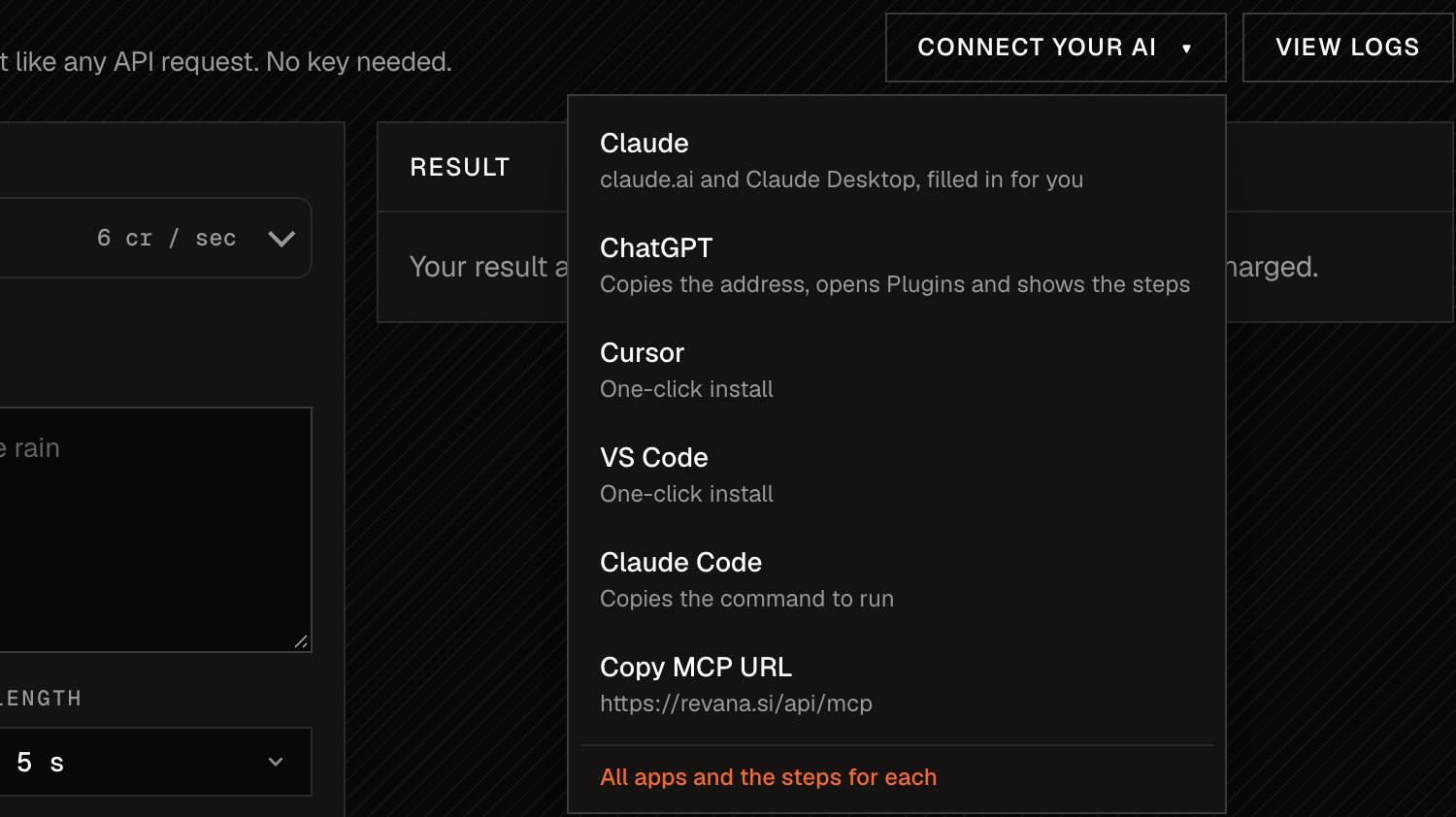
Or add it by hand: in Claude, go to Customize → Connectors, press Add and choose Add custom connector. Name it Revana, paste https://revana.si/api/mcp as the URL, and press Add.
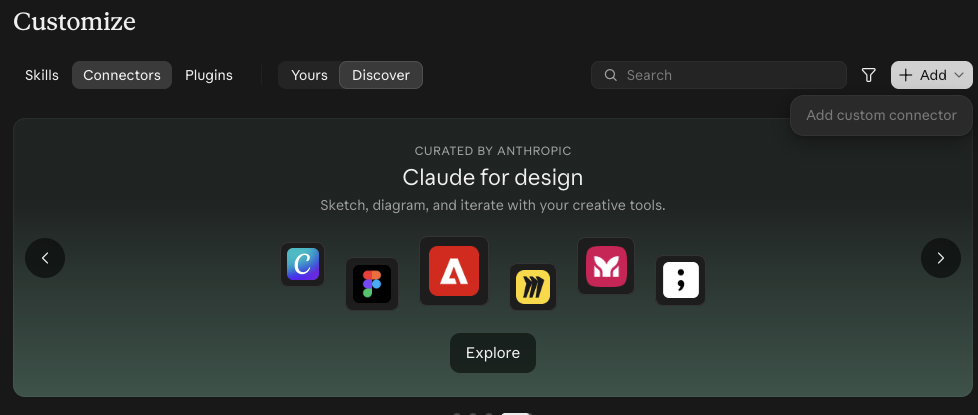
Greyed out? On a Claude Team or Enterprise plan, an owner may need to add custom connectors for the organization. Send them the server URL above.
Press Connect
Open the Revana connector in Customize → Connectors and press Connect. Claude sends you to revana.si to sign in.

Approve on revana.si
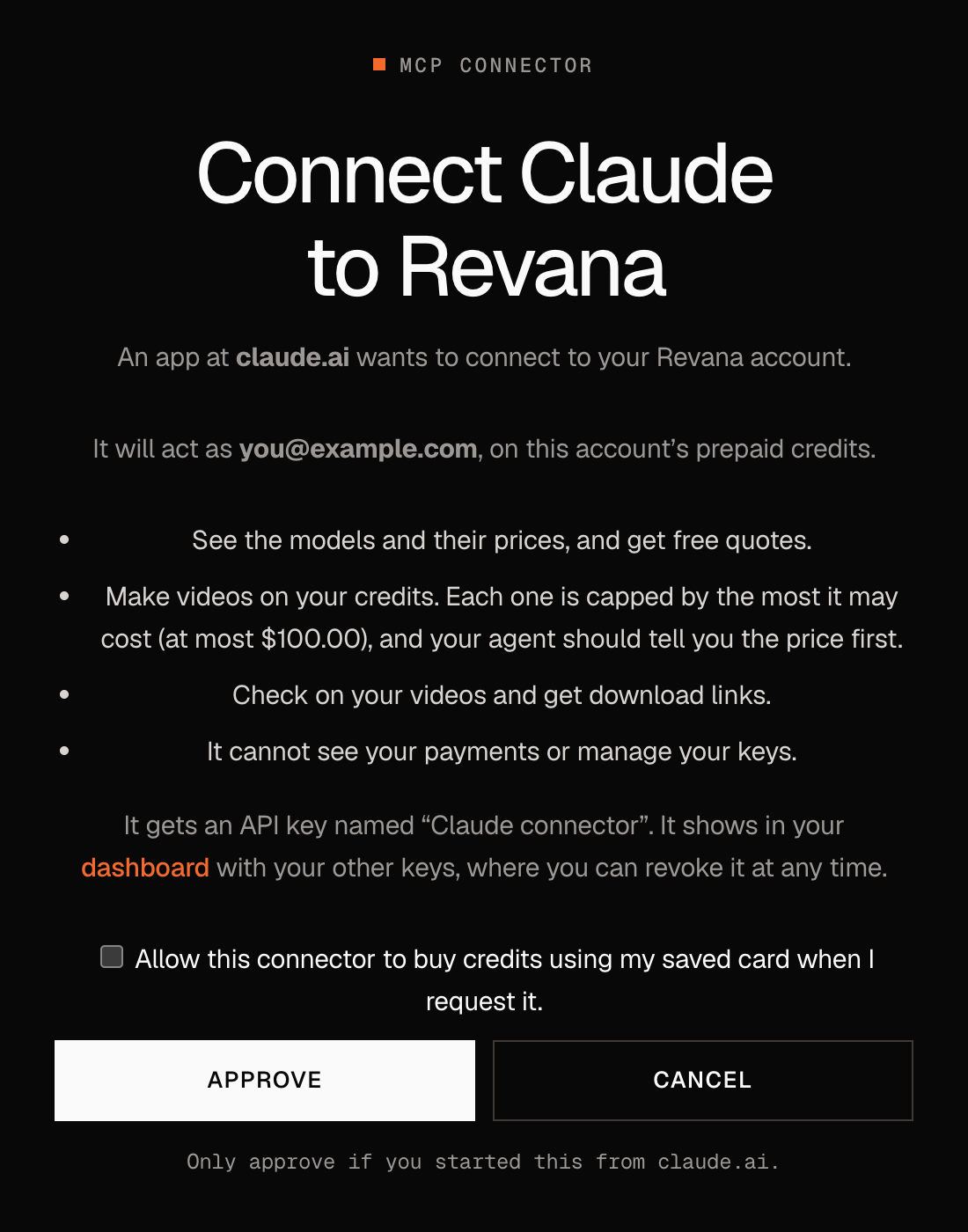
Sign in if asked, check the account it names, and press Approve. You land back in Claude, connected.
- Claude gets its own API key, named Claude connector. It shows under API keys in your dashboard, where you can revoke it at any time.
- It can see models and prices, make videos and get links. It cannot see your payments or manage your keys.
- Leave the saved-card box unticked unless you want to ask Claude to top up for you.
Ask for a video
Start a new chat and ask in plain words. Claude always gets a free quote first and waits for you to say yes before it spends anything. This is the chat that made the video at the top:
That costs $1.05 on Seedance 2.5 (720p, 5 s, with sound) and usually takes about three minutes. Should I make it?
Done. Here is your video: download link (it works for about an hour). It cost $1.05.
Claude asks before each tool. The first time it quotes, makes or checks a video, Claude shows a card: press Allow once, or Always allow to stop being asked. You can change this later in Customize → Connectors → Revana. If you miss a card, the chat stops while the video keeps rendering: say “check it” and Claude picks up where it left off.
Claude not using it? Open the tools menu under the message box and check that Revana is switched on for this chat. You can also say “use Revana”.
More things to ask:
- “What video models does Revana have, and which is cheapest for a 10 second clip?”
- “Turn this picture into a 9:16 video for Reels.” (attach the picture)
- “How many credits do I have left?”
Using Claude Code instead
Run this in your terminal, then type /mcp in Claude Code, choose revana and sign in. The dashboard's Connect your AI → Claude Code copies the same command.
claude mcp add --transport http revana https://revana.si/api/mcpChatGPT, Cursor, VS Code and Codex work too. The steps for each are on revana.si/mcp.
What Claude can do with Revana
| Outil | Ce qu'il fait |
|---|---|
list_models | Every video and image model with its options and price. Free. |
get_quote | The exact price of a video before anything is spent. Free. |
generate_video | Makes the video on your credits, after you say yes. Capped at $100 a video. |
get_video | Checks on a video and waits for it to finish. Free. |
get_video_link | A download link for a finished video. Free. |
upload_file | Sends a picture, clip or sound from your computer to use as a reference. Free. |
get_balance | What your credits can spend right now. Free. |
Questions
Can Claude spend my credits without asking?
Claude is told to quote first and ask before every video, and each video is capped. If you want to stop it, revoke the Claude connector key under API keys in your dashboard.
Which address do I paste?
https://revana.si/api/mcp, with /api/ in it.
Does it work in Claude Desktop and on my phone?
Yes. A connector added on claude.ai is part of your Claude account, so it shows up in Claude Desktop and the Claude apps too.